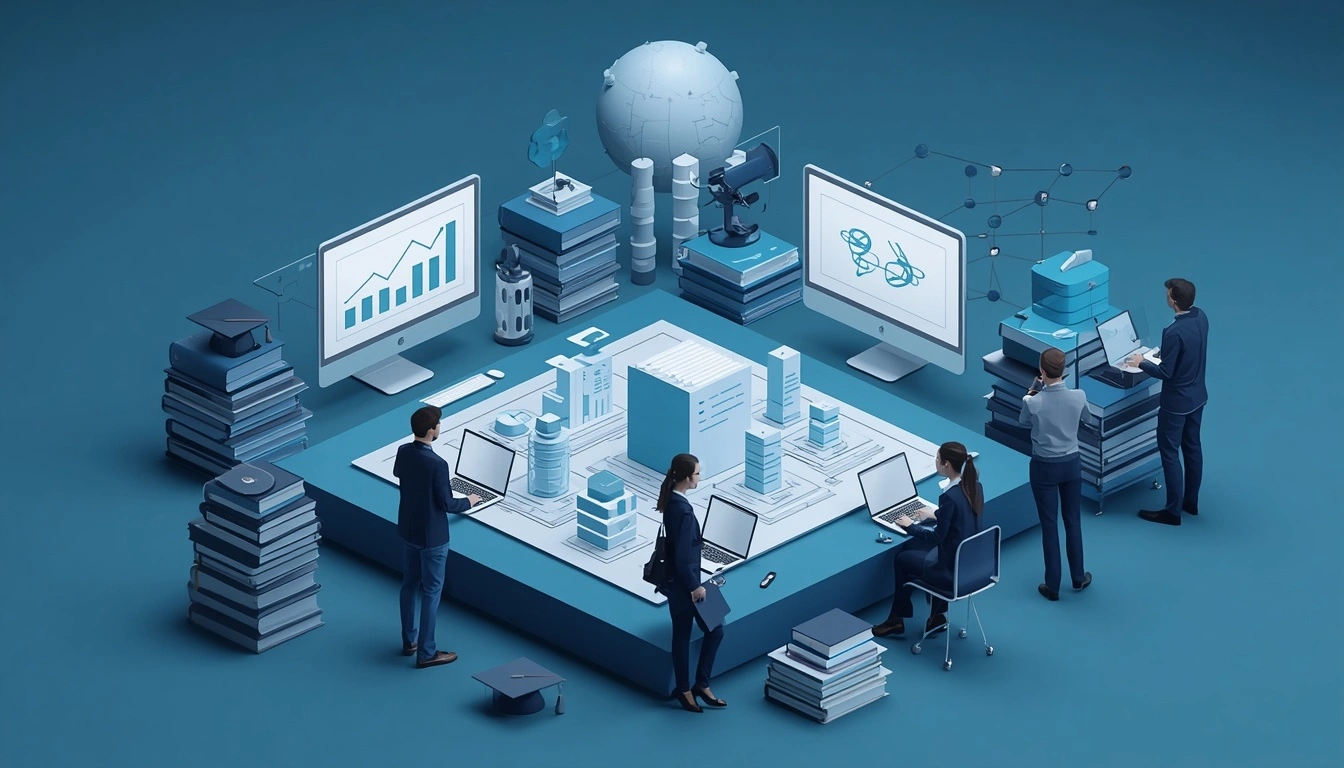
Moving learning materials between Learning Management System (LMS) platforms is more than transferring files from one platform to another. It involves organizing course content, preserving instructional structure, converting digital learning resources, maintaining assessment functionality, and ensuring that educational materials remain accessible and usable after migration.
Educational institutions, universities, EdTech companies, corporate training departments, and online learning providers frequently upgrade or replace their LMS platforms to improve learning experiences, simplify administration, and support changing business requirements.
However, migrating existing educational content can become complicated when organizations manage hundreds of courses, thousands of learning resources, interactive modules, assessments, and multimedia files.
This is where professional educational content migration services become valuable.
A structured LMS content migration process helps organizations transfer existing learning materials into a new learning environment while maintaining content accuracy, instructional consistency, and usability.
It can also provide an opportunity to reorganize outdated courses, update learning resources, improve accessibility, and optimize content for modern digital learning platforms.
Vaidik EduServices supports educational content development, eLearning content conversion, instructional design, and digital learning resource requirements for education and training organizations.
These capabilities can support the content preparation, restructuring, adaptation, and quality review stages of an LMS migration project.
What Are Educational Content Migration Services?
Educational content migration services involve preparing, organizing, converting, transferring, and validating existing educational materials when an organization moves from one Learning Management System (LMS) to another.
The process focuses on ensuring that learning resources remain structured, understandable, and suitable for the destination platform.
Depending on the project requirements, educational content migration may include:
- LMS course content migration.
- eLearning course migration and conversion.
- Digital learning material migration.
- SCORM package migration and validation.
- Assessment and question bank migration.
- Video, audio, and multimedia content migration.
- Course structure and module reorganization.
- Learning resource formatting and conversion.
- Educational content quality assurance.
- Accessibility and compatibility review.
For example, a university moving from Moodle to Canvas may need to migrate hundreds of courses containing lecture presentations, PDF reading materials, assignments, discussion activities, quizzes, and interactive learning modules.
Simply uploading these files to the new LMS may not preserve their original organization or functionality. A properly planned migration considers how each resource should be structured and tested in the destination environment.
Why Do Organizations Need LMS Content Migration Services?
Organizations migrate their learning materials for several reasons, including technology upgrades, platform limitations, business expansion, improved learner experiences, and changing instructional requirements.
However, poorly managed migration can result in missing resources, broken links, incorrect formatting, assessment errors, and inconsistent course structures.
Professional LMS content migration planning helps reduce these risks.
1. Upgrading to a Modern Learning Management System
Older LMS platforms may not provide the features, integrations, reporting capabilities, or user experience required by modern learning organizations.
Migrating content to a newer platform can support improved course delivery, learner engagement, and learning administration.
2. Improving Course Organization and Accessibility
Over time, educational content libraries can become difficult to manage. Courses may contain outdated documents, duplicate resources, inconsistent naming conventions, and poorly structured learning modules.
Content migration provides an opportunity to reorganize these materials and establish consistent course structures.
3. Supporting Business and Institutional Growth
Growing universities, educational publishers, and corporate training providers may need platforms that support larger learner populations, multiple departments, different learning programmes, and international audiences.
A structured migration strategy helps prepare existing learning resources for the new environment.
4. Preserving Existing Educational Investments
Organizations invest significant time and resources in developing online courses, instructional materials, question banks, and multimedia learning assets.
Recreating everything from the beginning can be expensive and time-consuming.
LMS content migration allows organizations to evaluate which existing materials can be reused, converted, updated, or redesigned.
5. Improving the Digital Learning Experience
A platform migration can provide an opportunity to improve outdated instructional materials, simplify navigation, update assessments, and introduce more engaging learning activities.
Organizations can combine content migration with instructional design and eLearning modernization to improve the overall learning experience.
What Types of Educational Content Can Be Migrated Between LMS Platforms?
An LMS usually contains multiple types of learning resources. Each content type may require a different migration approach depending on its format, functionality, and destination platform.
1. Online Course Content and Learning Modules
Course content is one of the most important components of an LMS migration project.
It may include:
- Course descriptions and introductions.
- Learning objectives and outcomes.
- Module structures and lesson sequences.
- Lecture notes and reading materials.
- Learning activities and assignments.
- Instructor resources.
- Course completion instructions.
The migration process should preserve the logical organization of courses and their learning objectives wherever possible.
2. SCORM and xAPI eLearning Packages
SCORM (Sharable Content Object Reference Model) and xAPI (Experience API) are commonly used specifications for digital learning content and learning activity tracking.
Organizations may need to move existing SCORM-compliant courses or xAPI-related learning assets into a different learning environment.
Depending on the destination LMS and package configuration, migration may involve:
- Reviewing existing SCORM packages.
- Checking package manifests and file structures.
- Validating course launch and navigation.
- Testing completion and scoring behavior.
- Reviewing learner progress tracking.
- Checking supported xAPI integrations and data requirements.
SCORM or xAPI compatibility should never be assumed simply because both platforms support the same standard. Package versions, LMS configurations, tracking settings, and integrations can affect the results.
3. Educational Assessments and Question Banks
Assessment materials require careful handling because errors in questions, answers, scoring rules, or feedback can affect learner evaluation.
Common assessment materials include:
- Multiple-choice questions (MCQs).
- True-or-false questions.
- Short-answer questions.
- Essay questions.
- Matching questions.
- Question banks.
- Answer keys and explanations.
- Grading rubrics.
- Formative and summative assessments.
Where applicable, organizations may use supported formats such as QTI (Question and Test Interoperability) to exchange assessment content between compatible systems.
Migration should include checks for question formatting, answer options, scoring rules, feedback, and assessment instructions.
4. Videos, Audio Files, and Multimedia Learning Resources
Modern online courses frequently include multimedia learning materials.
These resources may include:
- Educational videos.
- Recorded lectures.
- Audio lessons.
- Video presentations.
- Interactive animations.
- Infographics.
- Illustrations and diagrams.
- Subtitles and transcripts.
During migration, organizations should verify that multimedia files are accessible, embedded correctly, and compatible with the destination learning environment.
5. PDF, PowerPoint, and Digital Learning Documents
Educational institutions and training organizations often maintain large libraries of downloadable learning resources.
These may include:
- PDF textbooks and workbooks.
- PowerPoint presentations.
- Word documents.
- Study guides.
- Lecture notes.
- Teacher manuals.
- Reference documents.
- Digital worksheets.
Content conversion and formatting checks help ensure that these materials remain readable and correctly organized after migration.
6. Course Metadata and Learning Resource Information
Course metadata helps organizations identify, categorize, and manage learning materials.
It may include:
- Course titles and descriptions.
- Subject categories.
- Module identifiers.
- Learning objectives.
- Keywords and tags.
- Course versions.
- Resource descriptions.
- Content ownership information.
Maintaining consistent metadata improves content organization, searchability, and long-term course management.
Popular LMS Platforms for Educational Content Migration
Different organizations use different learning management systems depending on their educational requirements, technical infrastructure, learner population, and training objectives.
Some commonly used LMS platforms include:
Moodle
Moodle is an open-source learning management system used by schools, universities, and training organizations.
Moodle content migration may involve transferring course activities, resources, quizzes, assignments, and course structures into another compatible LMS.
Canvas LMS
Canvas is widely used by educational institutions and universities.
Canvas LMS migration projects may involve course modules, assignments, discussions, quizzes, learning materials, and other supported course components.
Blackboard Learn
Blackboard Learn is used by educational institutions to manage online courses, assessments, and academic learning resources.
Migration from Blackboard may require reviewing course exports, content packages, assessment formats, and destination-platform compatibility.
Brightspace (D2L)
Brightspace supports digital learning programmes, course management, assessments, and learner engagement.
Organizations moving to or from Brightspace should evaluate course structures, learning activities, assessment resources, and supported migration formats.
Google Classroom
Google Classroom is used by schools and educators to organize assignments, learning resources, and classroom activities.
Migration involving Google Classroom may require additional planning for documents, assignments, learning resources, and associated Google Workspace files.
TalentLMS
TalentLMS is commonly used for employee training, onboarding, compliance training, and professional development.
Corporate training migration projects may involve transferring training modules, learning documents, multimedia resources, and assessments.
Adobe Learning Manager
Adobe Learning Manager supports corporate learning and training programmes.
Migration projects may require reviewing existing eLearning packages, course structures, learning assets, and reporting-related requirements.
Important: Not every LMS supports direct or complete migration of every content type.
Platform-specific export and import capabilities, integrations, permissions, and technical requirements should be assessed before selecting a migration approach.
Our LMS Content Migration Process: Step-by-Step Guide
A successful LMS content migration project requires a structured workflow that considers content quality, technical compatibility, instructional requirements, and final validation.
The following steps provide a practical framework for migrating educational materials between LMS platforms.
Step 1: LMS Content Audit and Assessment
The first step is to identify and review the existing learning materials.
Organizations should prepare an inventory of their courses, modules, assessments, multimedia assets, and supporting documents.
The audit should identify:
- Total number of courses and modules.
- Available content formats.
- Existing SCORM and xAPI packages.
- Assessment and question bank formats.
- Duplicate or outdated learning resources.
- Broken links and missing files.
- Accessibility and formatting issues.
- Content requiring revision or conversion.
A detailed content audit helps determine migration complexity, resource requirements, and project priorities.
Step 2: Source and Destination LMS Analysis
The source LMS and destination LMS should be evaluated before content conversion begins.
The project team should understand:
- Supported content formats.
- Course export and import capabilities.
- SCORM and xAPI compatibility.
- Assessment import requirements.
- File size and storage restrictions.
- Multimedia hosting requirements.
- User permissions and access controls.
- Third-party integrations.
This assessment helps identify potential compatibility issues before migration.
Step 3: Content Mapping and Migration Planning
Content mapping defines how existing learning materials will be organized in the destination platform.
For example, an existing course may contain ten modules, twenty downloadable resources, five assessments, and three video lessons.
The migration plan should identify where each component will be placed in the new LMS.
A migration mapping document may include:
Existing LMS Content | Destination LMS Content | Required Action |
Course introduction | Course overview | Transfer and review |
Learning modules | Course modules | Map and reorganize |
PDF resources | Downloadable resources | Transfer and validate |
SCORM packages | Supported eLearning modules | Import and test |
Question banks | Assessment library | Convert where required |
Video lessons | Multimedia resources | Transfer and check playback |
Course metadata | Course information | Map and validate |
Content mapping reduces the possibility of missing materials and inconsistent course organization.
Step 4: Educational Content Conversion and Formatting
Some learning resources may not be directly compatible with the destination LMS.
In such cases, content conversion may be required.
Examples include:
- Converting legacy course materials into supported digital formats.
- Reformatting PowerPoint presentations.
- Converting documents into accessible PDFs.
- Restructuring educational content into modular lessons.
- Preparing interactive learning materials for supported authoring formats.
- Updating multimedia resources and embedded links.
For projects requiring substantial redesign, instructional design services can help restructure content into more effective digital learning experiences.
Step 5: LMS Content Transfer and Import
Once the content is prepared, it can be transferred or imported using the destination LMS’s supported migration tools and processes.
The technical migration team may use:
- LMS export and import functionality.
- Supported course backup files.
- SCORM package uploads.
- QTI assessment imports.
- API-based integrations, where supported.
- Bulk content upload tools.
- Manual migration for unsupported resources.
The migration method depends on the source and destination platforms and the type of educational content being transferred.
Step 6: Course Structure and Content Validation
After import, every migrated course should undergo a structured quality review
Validation should cover:
- Course titles and descriptions.
- Module sequence and navigation.
- Lesson content and formatting.
- Images and downloadable resources.
- Video and audio playback.
- Internal and external links.
- Assessment questions and answer keys.
- Scoring and feedback behavior.
- SCORM launch and completion tracking.
- Accessibility and readability.
The objective is to confirm that the migrated content meets the agreed acceptance criteria.
Step 7: Accessibility and Learner Experience Review
Migrating educational materials provides an opportunity to review their accessibility and usability.
Depending on project requirements, the review may include:
- Meaningful heading structures.
- Descriptive link text.
- Alternative text for relevant images.
- Captions and transcripts for multimedia.
- Readable document formatting.
- Keyboard navigation considerations.
- Screen reader compatibility.
- Relevant WCAG accessibility requirements.
Accessibility requirements should be defined according to the organization’s policies and applicable standards.
Step 8: Final Quality Assurance and Handover
The final stage involves reviewing the migrated content against the original inventory and agreed project specifications.
A migration quality assurance report may document:
- Successfully migrated courses.
- Converted and validated learning resources.
- Missing or unsupported content.
- Identified formatting issues.
- Assessment validation results.
- Outstanding technical dependencies.
- Recommended corrective actions.
A structured handover helps the organization manage its new learning content library with greater confidence.
Common Challenges in LMS Content Migration and How to Solve Them
Migrating educational materials between platforms can involve technical, instructional, and content-related challenges.
Understanding these problems before migration helps organizations reduce disruption.
1. LMS Platform Compatibility Issues
Challenge: The source LMS and destination LMS may support different content formats, course structures, or import methods.
Solution: Conduct a technical compatibility assessment and identify conversion requirements before starting the migration.
2. Loss of Course Formatting and Structure
Challenge: Lessons, headings, images, navigation, and embedded resources may not appear correctly after migration.
Solution: Use structured content mapping, formatting reviews, and post-import validation.
3. Broken Multimedia Links
Challenge: Videos, audio files, images, and external resources may stop working when their original hosting locations change.
Solution: Maintain an asset inventory and test multimedia links and playback in the destination LMS.
4. SCORM Tracking and Completion Errors
Challenge: A SCORM course may open successfully but fail to record completion, scores, or learner progress correctly.
Solution: Test course launch, tracking, completion status, and scoring behavior using the destination LMS’s supported configuration.
5. Assessment and Question Bank Conversion Errors
Challenge: Answer options, question types, scoring rules, and feedback may change during format conversion.
Solution: Validate assessment content against the source materials and test supported question formats after import.
6. Outdated or Duplicate Learning Resources
Challenge: Legacy LMS platforms may contain duplicate documents, outdated lessons, and unused course materials.
Solution: Conduct a content audit before migration and categorize resources for migration, revision, consolidation, or retirement.
7. Accessibility and Readability Problems
Challenge: Existing learning materials may contain inaccessible documents, missing captions, poorly structured headings, or images without appropriate alternative text.
Solution: Include accessibility checks and content remediation within the migration quality assurance process.
8. Large-Scale Content Migration Complexity
Challenge: Organizations with hundreds or thousands of courses may struggle to coordinate content preparation, conversion, validation, and technical transfer.
Solution: Divide the project into manageable batches, establish clear ownership, use migration tracking sheets, and prioritize high-value learning programmes.
LMS Content Migration vs. eLearning Content Conversion: What Is the Difference?
Although LMS content migration and eLearning content conversion are related, they serve different purposes.
Comparison Factor | LMS Content Migration | eLearning Content Conversion |
Primary objective | Move learning materials between platforms | Change learning materials into another format |
Main focus | Transfer and compatibility | Format and content adaptation |
Typical activities | Content mapping, export, import, validation | Reformatting, restructuring, redesign |
Common resources | Courses, modules, assessments, files | PPT, PDF, legacy courses, digital lessons |
Technical requirements | Source and destination LMS compatibility | Target file and authoring specifications |
Expected outcome | Usable content in the new LMS | Content in the required digital format |
Organizations may require both services when migrating from an older learning management system to a modern digital learning environment.
For example, an organization may need to convert legacy PowerPoint-based training materials into structured eLearning modules before importing them into a new LMS.
How to Choose the Right Educational Content Migration Partner
Selecting the right content migration partner is important, particularly when dealing with large educational content libraries or complex digital learning programmes.
Consider the following factors before selecting a service provider.
1. Experience in Educational Content Development
Choose a partner that understands educational content, instructional structure, subject accuracy, learning objectives, and digital learning requirements.
2. eLearning Content Conversion Capabilities
Evaluate whether the provider can work with existing educational documents, presentations, course materials, and digital learning assets.
3. LMS and Content Format Familiarity
Ask whether the team understands relevant content specifications, such as SCORM, xAPI, QTI, and the file formats supported by your LMS.
Distinguish content preparation and validation capabilities from direct LMS administration or technical migration implementation.
4. Instructional Design Expertise
Migrating outdated learning materials without improving their structure may simply transfer existing problems into a new system.
An experienced instructional design partner can help reorganize content, improve lesson sequencing, and maintain alignment with learning outcomes.
5. Quality Assurance and Validation
Check whether the provider follows a documented QA process for content accuracy, formatting, assessment integrity, accessibility, and final deliverables.
6. Scalability and Project Management
For large-scale migration projects, assess the provider’s ability to manage multiple courses, subjects, file formats, review cycles, and delivery requirements.
7. Clear Project Scope and Pricing
Request a proposal that clearly identifies:
- Total course and content volume.
- Source and destination LMS platforms.
- Required content formats.
- Conversion and restructuring requirements.
- Assessment and multimedia requirements.
- Quality assurance deliverables.
- Technical migration responsibilities.
- Project timeline and pricing.
A clearly defined scope helps avoid unexpected costs and delays.
Why Choose Vaidik EduServices for Educational Content Migration Support?
Vaidik EduServices works with educational publishers, EdTech companies, universities, and learning organizations that require structured educational content development and digital learning support.
Our content development and eLearning capabilities can support key activities associated with educational content migration projects, including content preparation, restructuring, conversion, and quality review.
Our relevant capabilities include:
Educational Content Development: Organizing and developing structured learning materials, academic resources, presentations, and digital educational content.
eLearning Content Conversion: Adapting existing educational materials into formats suitable for digital learning and online course delivery.
Instructional Design: Structuring learning content around objectives, learner requirements, instructional strategies, and course outcomes.
Educational Content Quality Assurance: Reviewing educational materials for accuracy, consistency, formatting, usability, and agreed quality requirements.
Higher Education Content Development: Supporting universities and colleges with course materials, academic resources, assessments, and digital learning content.
Digital Learning Resource Development: Preparing learning presentations, workbooks, study guides, multimedia scripts, and other supporting educational resources.
Explore our educational content development services, instructional design services, and higher education content development services to understand our broader educational content capabilities.
Organizations can also explore our educational content quality assurance services for content review and validation requirements.
Whether you are preparing a small course library for a new LMS or organizing a large collection of educational resources, project requirements can be discussed according to content volume, formats, instructional needs, and delivery specifications.
Planning an LMS migration project? Contact Vaidik EduServices to discuss your educational content preparation, conversion, restructuring, and quality assurance requirements.
Frequently Asked Questions
Educational content migration services involve preparing, organizing, converting, transferring, and validating learning materials when an organization moves from one LMS platform to another. They may include online courses, digital lessons, assessments, multimedia assets, SCORM packages, and educational documents.
LMS content migration helps organizations move existing learning resources to a new learning platform while maintaining course organization, content accuracy, and usability. It can also provide an opportunity to update outdated resources and improve digital learning experiences.
Common materials include course modules, lesson content, PDF documents, PowerPoint presentations, videos, audio files, SCORM packages, assessments, question banks, assignments, and course metadata. The exact migration possibilities depend on the source and destination LMS.
Yes, SCORM packages can often be transferred between compatible LMS platforms. However, organizations should verify SCORM version support, course launch functionality, completion tracking, scoring, and reporting behavior after migration.
Moodle courses may be migrated to Canvas using supported export, import, and conversion methods. However, course activities, assessments, resources, and settings may require additional mapping or reconstruction depending on platform compatibility.