

Digital learning has made education and corporate training more flexible, scalable, and accessible. However, not every online course is equally usable by every learner.
People with visual, hearing, motor, cognitive, or other disabilities may encounter barriers when learning materials are not designed with accessibility in mind.
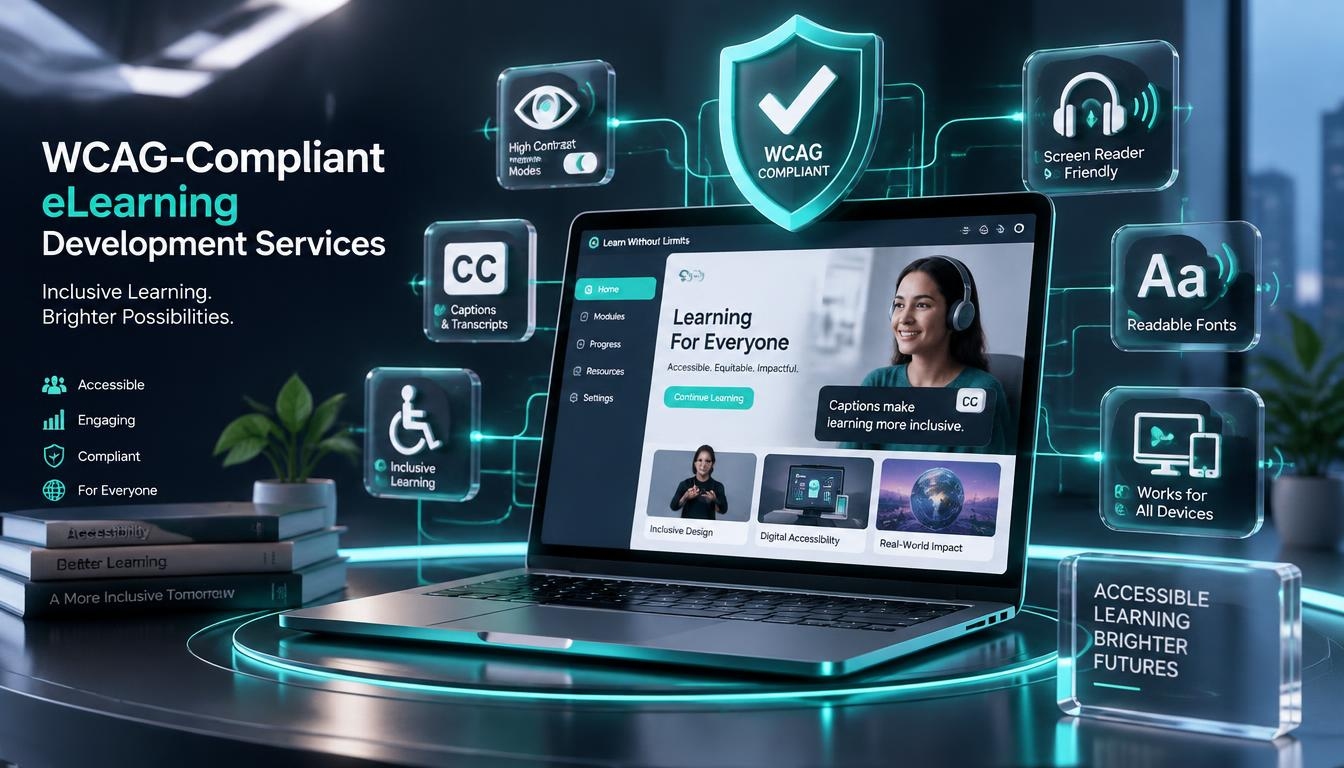
This is why organizations are increasingly investing in WCAG-compliant eLearning development services to create digital courses that accommodate diverse learning needs.
Accessible eLearning makes it easier for learners to navigate course content, understand information, interact with learning activities, and complete assessments using different devices and assistive technologies.
For educational publishers, universities, schools, EdTech companies, and corporate training providers, accessibility should be considered throughout the course development process not added as a final correction.
In this guide, we explain WCAG guidelines, accessible eLearning design principles, essential development features, testing methods, and how to choose the right accessible eLearning development partner.
What Are WCAG-Compliant eLearning Development Services?
WCAG-compliant eLearning development services involve designing, developing, reviewing, and improving digital learning materials according to the Web Content Accessibility Guidelines (WCAG).
WCAG is a set of internationally recognized recommendations developed by the World Wide Web Consortium (W3C) to make web content more accessible to people with disabilities.
In eLearning, these guidelines help ensure that learners can access and interact with:
- Online courses and learning modules
- Educational videos and audio lessons
- Interactive learning activities
- Quizzes and online assessments
- Digital textbooks and learning resources
- Learning management system interfaces
- Presentations, documents, and downloadable materials
An accessible eLearning course should support different ways of perceiving, navigating, understanding, and interacting with information.
A WCAG-focused development process considers accessibility from the initial instructional design stage through development, testing, and ongoing maintenance.
Why Is Accessibility Important in eLearning?
Accessibility is essential because digital courses should not create unnecessary barriers for learners.
When an eLearning course relies entirely on audio, uses difficult navigation, or provides insufficient color contrast, some learners may struggle to participate independently.
Accessible course design helps organizations create more inclusive learning experiences while improving usability for a broader audience.
1. Supports Learners with Disabilities
Accessible eLearning provides features that help learners with different accessibility needs.
For example:
- Screen-reader-compatible content supports learners with visual impairments.
- Captions and transcripts help learners who are deaf or hard of hearing.
- Keyboard navigation supports learners who cannot use a mouse.
- Clear instructions and consistent layouts help learners with cognitive or learning-related accessibility needs.
- Adjustable text and responsive layouts improve readability.
The goal is to provide learners with meaningful ways to access the same learning objectives.
2. Improves the Overall Learning Experience
Accessibility improvements often benefit all learners, not only people with disabilities.
Captions can help learners studying in noisy environments. Clear navigation makes courses easier to understand. Transcripts make video lessons easier to review, and readable layouts improve the learning experience on mobile devices.
3. Supports Accessibility and Compliance Requirements
Educational institutions, publishers, and businesses may need to consider accessibility requirements under applicable laws, regulations, procurement policies, and organizational standards.
WCAG provides a widely used technical reference for evaluating digital accessibility. However, WCAG conformance does not automatically establish compliance with every legal requirement. Organizations should assess the laws and standards applicable to their location, sector, and audience.
4. Makes Learning Content More Inclusive
Inclusive eLearning considers different learning preferences, abilities, devices, and assistive technologies.
By incorporating accessibility into course development, organizations can reduce barriers and make learning opportunities available to a wider audience.
Understanding WCAG Standards for eLearning Development
Before developing accessible digital courses, it is important to
understand the structure of WCAG.
WCAG 2.2 is the latest WCAG 2.x recommendation. WCAG 2.2 builds on earlier versions, and WCAG 2.1 and 2.2 success criteria are designed to be backward compatible with WCAG 2.0.
Organizations should identify the WCAG version and conformance level required for their project rather than assuming that every course needs the same specification.
WCAG Conformance Levels
WCAG defines three conformance levels: A, AA, and AAA.
Level A: Essential Accessibility Requirements
Level A addresses basic accessibility barriers that can prevent people from accessing digital content.
Examples include:
- Providing text alternatives for meaningful images.
- Making functionality available through a keyboard.
- Avoiding content that flashes in ways that can trigger seizures.
- Providing meaningful page structure and labels.
- Ensuring that information is not communicated through color alone.
Level A is the foundational level of WCAG conformance.
Level AA: Common Accessibility Target
Level AA includes additional requirements that improve accessibility for a wider range of users.
Examples include:
- Sufficient color contrast between text and background.
- Captions for prerecorded synchronized media.
- Consistent navigation and identification.
- Visible keyboard focus.
- Clear error identification and form instructions.
- Text resizing and responsive presentation.
- Accessible headings and interactive controls.
WCAG Level AA is a common target for digital accessibility projects, although the required level depends on the applicable standard or organizational requirement.
Level AAA: Enhanced Accessibility
Level AAA includes more advanced accessibility criteria.
Examples may include:
- Higher contrast requirements.
- Sign language interpretation for certain prerecorded content.
- Additional support for reading and comprehension.
- More specific requirements for audio and visual presentation.
Not every type of content can reasonably satisfy every Level AAA criterion. Organizations should determine which enhanced requirements are appropriate for their learners and content.
The Four Core Principles of WCAG: POUR
WCAG is organized around four foundational principles: Perceivable, Operable, Understandable, and Robust (POUR).
These principles provide a framework for creating accessible digital learning experiences.
1. Perceivable: Make Learning Content Easy to Access
Information and user interface components must be presented in ways learners can perceive.
For eLearning developers, this means providing alternatives when learners cannot access content through a particular sense.
Important practices include:
- Adding meaningful alternative text to images.
- Providing captions for videos.
- Offering transcripts for audio content.
- Using sufficient text and interface contrast.
- Structuring content with clear headings.
- Avoiding reliance on color alone to communicate information.
- Ensuring that text can be resized without losing content or functionality.
Example: A science course that explains the human circulatory system through a diagram should provide meaningful alternative text or an equivalent text explanation so that learners using screen readers can understand the essential information.
2. Operable: Make Course Navigation and Controls Usable
Learners must be able to operate course functionality using different input methods.
An accessible course should not require every learner to use a mouse or touchscreen.
Important practices include:
- Supporting complete keyboard navigation.
- Providing visible keyboard focus indicators.
- Ensuring interactive buttons and controls are accessible.
- Avoiding keyboard traps.
- Providing enough time to complete activities where applicable.
- Making navigation predictable.
- Ensuring touch targets are appropriately sized and spaced.
Example: A learner should be able to move through a lesson, select an answer, open a menu, and submit a quiz using a keyboard.
3. Understandable: Make Learning Content Clear and Predictable
Course information and navigation should be easy to understand.
An accessible learning experience uses clear language, consistent layouts, and predictable interactions.
Important practices include:
- Writing clear instructions.
- Using descriptive headings.
- Maintaining consistent navigation.
- Providing meaningful button labels.
- Identifying form errors clearly.
- Avoiding unnecessary complexity.
- Explaining unfamiliar terminology when appropriate.
Example: Instead of using a vague instruction such as “Proceed,” a course can use a descriptive label such as “Continue to the next lesson.”
4. Robust: Ensure Compatibility with Assistive Technologies
Digital learning content should work reliably with different browsers, devices, and assistive technologies.
Important practices include:
- Using semantic HTML where applicable.
- Providing accessible names, roles, and states for controls.
- Maintaining logical document structure.
- Testing with screen readers.
- Avoiding inaccessible custom interactions.
- Following relevant accessibility requirements for the publishing platform.
Example: A custom interactive quiz should expose its question, answer options, selection state, and feedback to assistive technologies rather than relying only on visual presentation.
Essential Features of WCAG-Compliant eLearning Courses
Creating accessible digital courses requires more than adding captions or changing font sizes. Accessibility must be considered across content, design, development, interaction, and assessment.
The following features are important when developing accessible eLearning materials.
1. Accessible Course Navigation
Course navigation should allow learners to understand where they are and how to move between sections.
Good navigation practices include:
- Clear menu labels.
- Consistent navigation patterns.
- Logical reading and tab order.
- Keyboard-accessible menus.
- Descriptive links.
- Visible focus indicators.
- Clear progress indicators.
Avoid navigation systems that depend entirely on hover interactions or complex mouse movements.
2. Screen Reader Compatibility
Screen readers convert digital information into speech or braille output. Accessible eLearning content should provide meaningful information to learners who use these technologies.
Development considerations include:
- Semantic heading structures.
- Descriptive alternative text.
- Accessible form labels.
- Meaningful link text.
- Properly labeled buttons.
- Logical reading order.
- Accessible tables and lists.
- Clear announcements for dynamic content where required.
Developers should test the actual course experience with commonly
used screen readers rather than relying only on automated accessibility checks.
3. Captions and Transcripts for Multimedia
Video and audio are widely used in online learning. Without alternatives, multimedia content can create accessibility barriers.
Accessible multimedia development may include:
- Accurate synchronized captions for prerecorded video with audio.
- Transcripts for audio content.
- Audio descriptions when essential visual information is not otherwise available.
- Controls for pausing, playing, and adjusting media.
- Clear identification of speakers where relevant.
Captions should include meaningful dialogue and relevant non-speech audio information where necessary.
4. Accessible Typography and Color Contrast
Text should remain readable across different screen sizes and viewing conditions.
Important design considerations include:
- Readable font choices.
- Appropriate font sizes.
- Sufficient contrast between text and background.
- Clear heading hierarchy.
- Adequate spacing.
- Responsive text resizing.
- Avoiding long blocks of dense text.
Color should not be the only way to communicate meaning.
For example, a quiz should not indicate correct answers only through green and incorrect answers only through red. It should also use text labels, icons, or other accessible indicators.
5. Keyboard-Friendly Interactive Elements
Interactive learning activities should be usable without a mouse.
This includes:
- Multiple-choice questions.
- Drag-and-drop exercises.
- Tabs and accordions.
- Interactive diagrams.
- Course menus.
- Buttons and navigation controls.
- Matching activities.
Where a drag-and-drop activity is used, developers should provide an accessible alternative interaction method that allows learners to complete the same learning task.
6. Accessible Quizzes and Assessments
Online assessments should allow learners to understand questions, select answers, and receive feedback using accessible controls.
Good practices include:
- Properly labeled answer options.
- Clear instructions.
- Logical keyboard navigation.
- Accessible error messages.
- Screen-reader-compatible feedback.
- Sufficient color contrast.
- Appropriate time limits and accommodations where applicable.
Assessment accessibility should preserve the intended learning objective. Alternative interaction methods should not unnecessarily change what the assessment is designed to measure.
7. Responsive and Mobile-Friendly Course Design
Many learners access digital courses through smartphones and tablets.
Responsive eLearning design should ensure that:
- Text remains readable on smaller screens.
- Interactive controls are easy to operate.
- Content does not require unnecessary horizontal scrolling.
- Navigation works with touch and keyboard input.
- Layouts adapt without hiding essential information.
- Accessibility features remain available across devices.
Mobile responsiveness and accessibility should be tested together.
Our WCAG-Compliant eLearning Development Process
A structured development process helps identify accessibility barriers early and reduces the need for expensive revisions later.
Vaidik Eduservices can support organizations with educational content development, instructional design, and learning material preparation. Accessibility requirements and technical implementation should be defined according to each project’s scope.
A typical accessible eLearning development workflow includes the following stages.
Step 1: Accessibility Requirements Analysis
The first step is to understand the project’s accessibility expectations.
This includes identifying:
- Target learners and their accessibility needs.
- Required WCAG version and conformance level.
- Course delivery platform.
- Existing content and learning assets.
- Multimedia and interaction requirements.
- Applicable organizational or regulatory requirements.
A clear accessibility brief helps align instructional designers, developers, content specialists, and reviewers.
Step 2: Accessible Instructional Design
Accessibility should be included in the instructional design process.
The team plans course structure, learning objectives, instructional activities, content formats, and assessment methods with accessibility in mind.
Key activities include:
- Creating a logical content hierarchy.
- Selecting appropriate learning activities.
- Planning alternative ways to access essential information.
- Designing consistent navigation.
- Writing clear learner instructions.
- Considering different interaction requirements.
Step 3: Accessible Content Development
Learning content is developed using accessible writing, formatting, and media practices.
This may include:
- Structuring headings correctly.
- Writing meaningful alternative text.
- Preparing captions and transcripts.
- Creating readable tables and lists.
- Using descriptive hyperlinks.
- Reviewing language clarity.
- Ensuring that visual information has appropriate text alternatives.
Content accessibility should be reviewed before the course is finalized.
Step 4: Accessible eLearning Development and Implementation
During development, the approved instructional design and content are converted into a digital learning experience.
Depending on project requirements, this may involve:
- Building accessible course layouts.
- Developing keyboard-friendly interactions.
- Creating accessible quizzes.
- Implementing appropriate media controls.
- Using semantic markup.
- Checking assistive technology compatibility.
- Preparing content for the intended LMS or delivery platform.
The development team should confirm which authoring tools and platform features support the required accessibility outcomes.
Step 5: Accessibility Testing and Quality Assurance
Testing is essential because a course may appear accessible visually while still creating barriers for assistive technology users.
A comprehensive review may include:
- Automated accessibility scanning.
- Keyboard-only testing.
- Screen reader testing.
- Color contrast checks.
- Text resizing checks.
- Caption and transcript review.
- Form and quiz interaction testing.
- Responsive layout testing.
- Manual WCAG success-criterion evaluation.
Automated testing can identify many common issues, but it cannot establish full WCAG conformance on its own.
Step 6: Remediation and Final Review
Issues identified during testing should be documented, prioritized, and corrected.
After remediation, the course should be retested to confirm that fixes work as intended and have not introduced new accessibility problems.
For projects requiring formal conformance evidence, organizations may also need documented testing results and a clearly scoped accessibility evaluation.
WCAG Accessibility Checklist for eLearning Development
Use this checklist when reviewing a digital course or evaluating an eLearning development partner.
Accessibility area | What to review |
Images | Meaningful alternative text for informative images |
Headings | Logical and consistent heading hierarchy |
Color contrast | Sufficient contrast for text and interface elements |
Keyboard access | All functionality available through keyboard input |
Focus visibility | Clear indication of the currently focused element |
Video | Accurate captions for prerecorded video with audio |
Audio | Transcripts for audio-only content |
Screen readers | Meaningful reading order and accessible controls |
Links | Descriptive link text |
Forms | Proper labels and clear error messages |
Assessments | Accessible questions, answers, and feedback |
Interactive activities | Accessible alternatives to pointer-only interactions |
Mobile | Usable content across different screen sizes |
Testing | Automated and manual accessibility evaluation |
This checklist is a practical starting point, not a substitute for a complete WCAG conformance assessment.
Common Accessibility Mistakes in eLearning Development
Even professionally designed courses can contain accessibility issues when accessibility is considered too late.
Here are common mistakes organizations should avoid.
1. Treating Accessibility as a Final Design Task
Adding accessibility features after a course has already been developed can require substantial redesign.
Better approach: Include accessibility requirements in the project brief, instructional design, content development, and quality assurance stages.
2. Using Images Without Meaningful Alternatives
Important information may become unavailable to learners using screen readers when images lack appropriate text alternatives.
Better approach: Provide concise, meaningful alternative text for informative images. Decorative images should be handled so they do not create unnecessary screen-reader output.
3. Providing Videos Without Captions
Learners who cannot hear audio may miss essential information when video lessons do not include captions.
Better approach: Include accurate captions and review their synchronization, completeness, and readability.
4. Designing Mouse-Dependent Activities
Some interactive exercises require learners to drag, hover, or click without offering another way to interact.
Better approach: Provide keyboard-accessible controls and equivalent interaction methods.
5. Relying Only on Automated Testing
Automated accessibility tools can detect many technical issues, but they cannot fully evaluate clarity, meaningful alternative text, or the usability of every learning activity.
Better approach: Combine automated tools with manual testing and, where possible, feedback from people with disabilities.
6. Ignoring Accessibility During Content Updates
A course that was accessible at launch may become less accessible after new images, videos, questions, or interface components are added.
Better approach: Include accessibility checks in the content revision and maintenance process.
How to Choose the Right WCAG-Compliant eLearning Development Company
Selecting an experienced development partner is important when accessibility is a core project requirement.
A suitable partner should understand both learning design and accessibility not simply offer attractive course layouts.
Consider these factors before selecting a WCAG-compliant eLearning development company.
1. Understanding of WCAG Guidelines
Ask whether the provider understands WCAG 2.1 or 2.2 and can explain how the relevant success criteria apply to your course.
The provider should also clarify the required conformance level and how it will be evaluated.
2. Experience in Accessible Instructional Design
Accessibility is not only a technical concern.
The partner should understand how to create clear learning objectives, accessible content structures, inclusive activities, and assessments that support diverse learners.
3. Multimedia Accessibility Capabilities
If your project includes video, audio, animations, or interactive media, ask how the provider handles captions, transcripts, audio descriptions, and accessible controls.
4. Accessibility Testing Methodology
Ask about the provider’s testing process.
A reliable process should explain:
- Which automated tools are used?
- How keyboard accessibility is tested.
- Which screen readers and browsers are included.
- How manual WCAG reviews are conducted.
- How accessibility defects are documented.
- How remediation and retesting are handled.
5. Understanding of eLearning Platforms and Authoring Tools
Confirm whether the provider has experience with your preferred authoring tools and LMS environment.
Tools such as Articulate Storyline, Articulate Rise, Adobe Captivate, and other eLearning platforms may support different accessibility workflows. Tool selection alone does not guarantee WCAG conformance.
6. Quality Assurance and Documentation
Ask whether the provider can supply accessibility review reports, issue logs, remediation records, and relevant testing documentation.
Clear documentation makes it easier to understand what was evaluated and which issues remain unresolved.
7. Flexible Development and Content Support
The right partner should be able to work with your existing course materials, instructional requirements, content formats, and delivery expectations.
This is particularly important for organizations managing large educational content libraries or multiple learning programs.
WCAG-Compliant eLearning Development for Different Industries
Accessibility requirements apply across educational and professional learning environments.
Different industries may need different course formats, assessment approaches, and accessibility considerations.
1. K–12 Education
Schools and K–12 education providers use digital lessons, interactive exercises, videos, and assessments.
Accessible K–12 learning content should use age-appropriate language, clear navigation, readable layouts, captions, and accessible learning activities.
2. Higher Education
Universities and colleges provide online lectures, digital textbooks, research materials, course modules, and examinations.
Accessible course development helps institutions make learning resources more usable for students with different accessibility needs.
3. Educational Publishers
Educational publishers create digital textbooks, eBooks, interactive resources, question banks, and supplementary learning materials.
Accessibility should be considered across the content lifecycle, including authoring, formatting, conversion, and quality assurance.
4. EdTech Companies
EdTech platforms often provide digital lessons, practice activities, assessments, and personalized learning experiences.
Accessibility reviews can help identify barriers in learning interfaces, content components, and interactive features.
5. Corporate Training
Businesses use eLearning for employee onboarding, compliance training, leadership development, product training, and professional development.
Accessible corporate training helps employees access learning materials through different devices and assistive technologies.
How Much Do WCAG-Compliant eLearning Development Services Cost?
The cost of accessible eLearning development depends on course complexity, content volume, accessibility requirements, and the amount of development and remediation involved.
There is no single price that applies to every project.
The following factors commonly influence the overall cost.
1. Course Length and Content Volume
A short training module requires a different level of effort from a large curriculum containing multiple courses, videos, quizzes, and interactive activities.
2. Existing Content Accessibility
If existing materials already follow accessibility practices, the development effort may be lower.
However, courses with inaccessible documents, images, videos, or interactions may require substantial remediation.
3. Multimedia Requirements
Captions, transcripts, audio descriptions, and accessible media controls can add to the project scope.
4. Interactive Course Complexity
Advanced simulations, branching scenarios, drag-and-drop activities, and custom assessments may require additional accessibility design and testing.
5. WCAG Conformance Requirements
The required WCAG version and conformance level affect design, development, and testing effort.
6. Testing and Documentation
Projects requiring detailed manual testing, assistive technology testing, remediation, and documented evaluation may need additional resources.
For an accurate estimate, organizations should share their existing learning materials, course volume, target platform, accessibility requirements, and expected deliverables with the development partner.
Benefits of Outsourcing WCAG-Compliant eLearning Development
Organizations that lack internal accessibility and eLearning development resources may consider outsourcing.
Working with a specialized partner can help coordinate instructional design, content preparation, development, and quality assurance.
Key benefits include:
Access to Specialized Expertise
A suitable partner can bring together instructional design, educational content development, multimedia preparation, and accessibility-focused quality assurance expertise.
Scalable Content Development
Outsourcing can help organizations manage multiple courses, large content libraries, and ongoing learning content requirements.
More Consistent Quality Assurance
A defined review process can help identify accessibility issues and maintain consistent content quality across learning programs.
Focus on Core Business Activities
Educational publishers, universities, and EdTech companies can focus on their core operations while an external partner supports agreed learning content and development activities.
Support for Content Modernization
Existing learning resources can be reviewed, updated, and converted into more usable digital formats while considering accessibility requirements.
Why Choose Vaidik Eduservices for eLearning and Educational Content Development?
Developing accessible digital learning experiences requires a combination of instructional design, content quality, structured development, and careful review.
Vaidik Eduservices works with educational publishers, EdTech companies, academic institutions, and organizations that need educational content and learning development support.
Our services include areas such as:
- Instructional design services: Structuring learning experiences around learning objectives, learner needs, and instructional requirements.
- Educational content development: Creating and organizing learning materials for different educational levels and learning environments.
- Curriculum development services: Developing structured educational content aligned with defined curriculum requirements.
- Assessment development services: Supporting the development of questions, assessments, and evaluation materials.
- Educational content quality assurance: Reviewing learning materials for accuracy, consistency, clarity, and quality.
For accessibility-focused projects, requirements such as alternative text, captions, accessible formatting, keyboard interaction, and WCAG evaluation should be defined clearly in the project scope.
If your organization is planning to develop new digital courses, improve existing learning materials, or scale educational content production, Vaidik Eduservices can discuss the content and instructional design support required for your project.
Explore our educational content development services and instructional design services to learn more.
Future Trends in Accessible eLearning Development
Digital learning continues to evolve, and accessibility needs to evolve alongside it.
Several developments are influencing how organizations create accessible learning experiences.
1. Accessibility-First Instructional Design
Organizations are increasingly considering accessibility during the planning stage instead of treating it as a separate remediation activity.
2. AI-Assisted Accessibility Workflows
AI tools can assist with tasks such as generating draft captions, preparing transcripts, suggesting alternative text, and identifying potential content issues.
However, AI-generated accessibility content must be reviewed by people. Incorrect captions, inaccurate image descriptions, and misleading text alternatives can create additional barriers.
3. Accessible Digital Learning Documents
Digital textbooks, PDFs, presentations, and eBooks need appropriate structure, reading order, text alternatives, and navigation.
Organizations managing large learning libraries should consider accessibility when creating, converting, and updating these resources.
4. More Inclusive Interactive Learning
Interactive activities are becoming more sophisticated. Developers will need to provide accessible alternatives and ensure that complex interactions work with keyboards and assistive technologies.
5. Continuous Accessibility Monitoring
Accessibility is not a one-time activity. Courses and platforms should be reviewed when content, technology, or user requirements change.
Conclusion
WCAG-compliant eLearning development is an important part of creating inclusive, usable, and accessible digital learning experiences.
From accessible instructional design and multimedia preparation to keyboard navigation, screen reader compatibility, and accessibility testing, every stage of course development contributes to the final learning experience.
Organizations should treat accessibility as an ongoing quality requirement rather than a last-minute technical adjustment.
Whether you are an educational publisher, university, EdTech company, school, or corporate training provider, investing in accessibility-focused learning content can help reduce barriers and make digital education more inclusive.
Looking for educational content development or instructional design support? Connect with Vaidik Eduservices to discuss your eLearning content requirements and build a development approach aligned with your learning and accessibility goals.
Frequently Asked Questions
WCAG-compliant eLearning development services involve designing, developing, and testing digital courses according to the Web Content Accessibility Guidelines. These services help make online lessons, videos, assessments, and interactive learning materials more accessible to people with disabilities.
WCAG 2.2 is the latest WCAG 2.x recommendation. Organizations should confirm the version required by their applicable accessibility standards, procurement requirements, or project specifications.
Level A covers foundational accessibility requirements, Level AA adds requirements for broader accessibility, and Level AAA includes more advanced criteria. The appropriate conformance target depends on the project’s requirements.
Use semantic headings, meaningful alternative text, descriptive links, properly labeled controls, logical reading order, accessible forms, and screen-reader-compatible interactions. Manual testing with screen readers is also important.
Accessible eLearning focuses on removing barriers that prevent people with disabilities from accessing digital learning. Inclusive eLearning takes a broader approach by considering different learner needs, backgrounds, abilities, and learning preferences.