

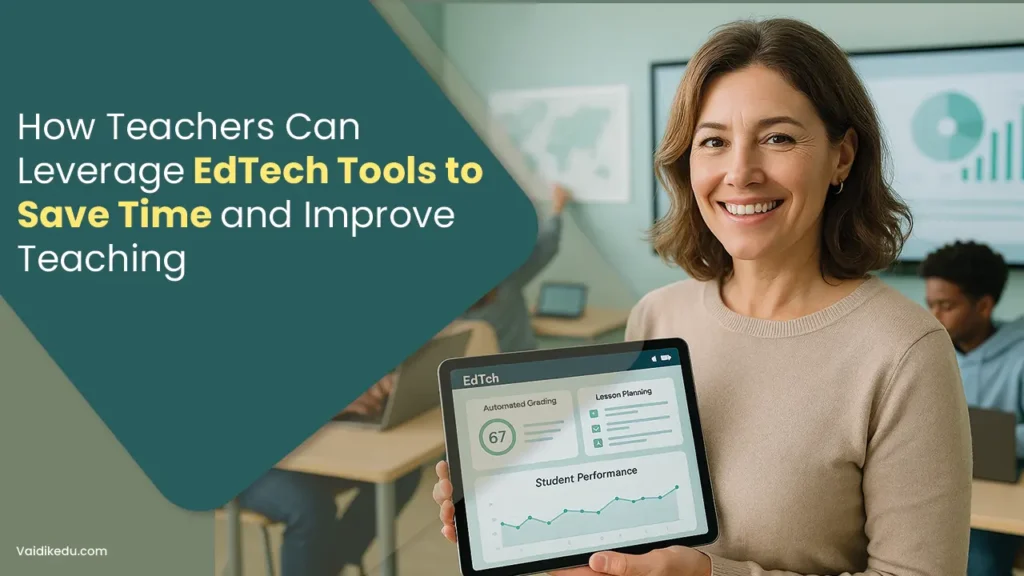
Teaching involves much more than delivering lessons. Teachers plan instruction, create learning materials, assess student work, communicate with families and colleagues, manage classrooms, track progress and adapt instruction to different learner needs.
With so many responsibilities competing for attention, finding ways to reduce repetitive work without compromising teaching quality is increasingly important.
Educational technology, or EdTech, can help teachers manage some of these responsibilities more efficiently.
Digital gradebooks, learning management systems, automated assessments, collaborative platforms, adaptive learning tools and AI-assisted applications can reduce manual work and make important information easier to organise.
However, technology is most useful when it solves a specific teaching problem rather than simply adding another platform to an already crowded workflow.
The goal should not be to use more technology but to use the right technology in ways that give teachers more time for planning, feedback and meaningful interaction with students.
Why Saving Teachers’ Time Matters
Teacher workload is not limited to classroom teaching.
According to the OECD’s Education at a Glance 2026 report, teachers across OECD countries work an average of 40.8 hours per week, with lesson preparation, administrative responsibilities and other non-teaching duties contributing to their workload. The findings highlight the importance of improving teachers’ working conditions and reducing unnecessary administrative demands. (OECD, Education at a Glance 2026)
In Singapore, for example, 53% of lower-secondary teachers surveyed identified excessive administrative work as a source of stress, while 49% identified marking as a significant source of stress.
This makes workflow efficiency an important consideration when schools evaluate EdTech.
The right tools can help teachers:
- reduce repetitive administrative tasks
- prepare lessons more efficiently
- create and adapt learning resources
- automate parts of assessment
- monitor student progress
- communicate more effectively
- provide differentiated learning activities
- collaborate with colleagues
- Organise teaching resources in one place
The key is to introduce technology where it removes friction rather than creating additional work.
14 Ways Teachers Can Use EdTech to Save Time and Improve Teaching
EdTech can support teachers across many parts of their daily workflow, from administrative tasks and lesson planning to assessment, communication, differentiation and professional development.
The key is to choose tools based on specific teaching needs and use them to reduce repetitive work without replacing teacher judgement.
Here are 14 practical ways teachers can leverage EdTech to work more efficiently while creating better learning experiences for students.
1. Streamline Administrative Tasks
Administrative responsibilities can take valuable time away from instructional planning and student interaction.
Digital systems can centralise routine tasks such as attendance, scheduling, record keeping and communication.
For example, schools can use digital attendance systems to record attendance and generate reports without relying on paper-based processes.
Learning management systems can also bring assignments, grades, announcements and student resources into one environment.
Calendar and scheduling tools can help teachers organise deadlines, meetings, assessments and lesson plans.
The biggest benefit comes when several routine processes are connected rather than managed through separate applications. Before introducing another tool, schools should consider whether it integrates with the systems teachers already use.
2. Use AI to Support Lesson Planning
Generative AI has created new possibilities for reducing the time teachers spend on routine preparation.
AI tools can help generate initial lesson ideas, discussion questions, examples, differentiated activities, summaries, quizzes and draft instructional materials.
Research into AI-powered lesson-planning tools is still developing. For example, the Education Endowment Foundation has been evaluating whether AI-assisted planning can reduce workload while maintaining the quality of teaching resources.
Teachers can use AI as a starting point rather than treating generated material as a finished lesson.
A practical workflow might look like this:
- Define the learning objective.
- Ask the AI tool to suggest lesson activities or examples.
- Review the generated material for accuracy and curriculum alignment.
- Adapt it to the students’ age, ability and classroom context.
- Add teacher-created explanations and examples.
- Use the final material in the lesson.
This approach can reduce preparation time while keeping the teacher in control of instructional decisions.
3. Create and Adapt Learning Materials More Efficiently
Teachers frequently need to create multiple versions of the same resource.
A single topic may require a presentation, worksheet, discussion activity, homework task, revision resource and assessment.
EdTech and AI-assisted content tools can help teachers create first drafts of these materials more efficiently.
For example, a teacher might turn a lesson objective into:
- a short explanation
- vocabulary exercises
- discussion questions
- a formative quiz
- extension activities
- revision questions
- differentiated practice tasks
The teacher can then review and customise these resources before giving them to students.
This is particularly useful when teachers need to differentiate content for learners with different levels of prior knowledge.
4. Make Assessment and Grading More Efficient
Assessment is one of the areas where digital technology can provide substantial workflow benefits.
Online quizzes and formative assessments can automatically mark many objective question types and provide immediate feedback.
Digital assessment platforms can also collect responses in one place, making it easier for teachers to identify common misconceptions.
However, automated grading should not replace professional judgement where assessment requires interpretation, reasoning or extended written responses.
A more effective approach is to automate what can reasonably be automated while keeping teachers responsible for higher-level evaluation.
For example:
- automatically score multiple-choice questions
- provide instant feedback on selected question types
- Use digital rubrics for consistent marking
- Organise written submissions in one location
- identify frequently missed questions
- review student responses to diagnose misconceptions
This allows teachers to spend more time analysing learning rather than performing repetitive administrative tasks.
5. Use Data to Inform Teaching Decisions
Modern EdTech platforms can collect information about student performance, participation and progress.
Used appropriately, these data can help teachers identify where additional instruction may be needed.
Instead of manually reviewing every result, teachers can use dashboards and reports to look for patterns such as:
- topics with consistently low scores
- students who need additional support
- students who may benefit from extension work
- questions that many learners answered incorrectly
- changes in performance over time
The purpose of learning analytics should not be to generate more data. It should be to make existing data easier to interpret and act upon.
A useful system should help answer practical questions such as:
What are students struggling with, which students need support, and what should I teach next?
6. Personalise Learning Without Creating More Work
Differentiation can be challenging when one teacher is responsible for students with different abilities, learning needs and levels of prior knowledge.
Adaptive learning platforms can adjust activities or difficulty based on student performance. Learning management systems can also allow teachers to assign different resources to different groups.
For example, a teacher might provide:
- foundational practice for students who need reinforcement
- standard practice for students working at the expected level
- extension problems for advanced learners
- additional explanations for students who have misunderstood a concept
Technology can make this process more manageable, but personalisation should not mean creating an entirely separate lesson for every student.
Well-designed digital systems can help teachers reuse core resources while adjusting practice, support and challenge where needed.
7. Improve Classroom Engagement With Interactive Learning
EdTech can also make lessons more interactive.
Teachers can use digital quizzes, polls, collaborative boards, simulations, presentations and interactive activities to give students more opportunities to participate.
For example, instead of asking a question and hearing from only a few students, a teacher can use a digital response tool to collect answers from the whole class.
This provides two benefits:
- Students participate more actively
- Teachers receive immediate information about understanding
Interactive technology is most effective when the activity has a clear instructional purpose. Adding animations, games or digital effects simply for entertainment does not necessarily improve learning.
8. Simplify Communication With Students, Parents and Colleagues
Communication can become another significant source of repetitive work.
Learning management systems and communication platforms allow teachers to centralise announcements, assignment information, resources, reminders and feedback.
Teachers can also use shared digital spaces to collaborate with colleagues on:
- lesson resources
- curriculum planning
- assessment materials
- student support strategies
- department projects
- professional development
A centralised system can reduce the need to search through multiple email threads, messaging platforms and files.
9. Build a Reusable Digital Resource Library
Teachers do not need to recreate every resource from scratch.
A well-organised digital library can contain:
- lesson plans
- presentations
- worksheets
- question banks
- assessment rubrics
- revision materials
- videos
- reading resources
- differentiated activities
- interactive exercises
Resources can be tagged by subject, year level, topic, difficulty and learning objective.
Over time, this creates a reusable teaching library that reduces preparation time and makes collaboration easier.
10. Support Classroom Management
Technology can also assist with classroom organisation.
Digital systems can help teachers distribute instructions, manage assignments, communicate expectations and monitor participation.
Some classroom platforms also provide features for behaviour tracking or student engagement.
However, technology should support classroom management rather than attempt to replace the teacher’s judgement.
Clear routines, consistent expectations and positive teacher-student relationships remain central to effective classroom management.
11. Make Professional Development More Flexible
Teachers also need time to develop their own skills.
Online professional development platforms, webinars, digital communities and on-demand courses allow teachers to access training without always needing to attend a physical workshop.
Teachers can use online learning to explore:
- new instructional strategies
- curriculum changes
- assessment approaches
- digital teaching methods
- subject-specific developments
- AI literacy
- inclusive teaching practices
Short, focused professional learning can also be easier to fit around teaching responsibilities than lengthy training programmes.
12. Choose EdTech Tools Based on the Problem They Solve
One of the biggest mistakes schools and teachers can make is adopting technology simply because it is popular.
Before selecting a tool, ask:
- What problem are we trying to solve?
- How much teacher time will this actually save?
- Does it integrate with existing systems?
- Is it easy for teachers and students to use?
- Does it support the curriculum?
- Can teachers access useful student data?
- Does it meet accessibility requirements?
- How is student data collected and protected?
- Is training required?
- What happens if the tool becomes unavailable?
A tool that performs ten unnecessary functions may be less valuable than a simple platform that solves one major problem well.
13. Use AI Responsibly
AI can save time, but teachers should not assume that AI-generated content is automatically accurate or appropriate.
AI-generated lesson materials, questions and explanations should be reviewed before being used with students.
Teachers should check for factual errors, unsuitable examples, bias, inappropriate difficulty and alignment with learning objectives.
Schools should also establish clear policies around student data, privacy and acceptable AI use.
The role of AI should therefore be viewed as assistance rather than replacement. It can help teachers draft, organise and analyse information, while teachers remain responsible for professional judgement and the quality of learning.
Current teacher-focused guidance similarly emphasises using AI as a practical support while recognising that evidence about its classroom impact is still developing.
14. Prioritise Accessibility and Inclusion
Technology should make learning easier to access, not create additional barriers.
When selecting digital tools, teachers and schools should consider features such as:
- captions and transcripts
- keyboard navigation
- screen-reader compatibility
- alternative text for images
- adjustable text size
- accessible colour and contrast
- multiple ways to access information
- compatibility across devices
Accessibility should be considered during the selection and design process rather than treated as an afterthought.
How to Introduce EdTech Without Increasing Teacher Workload
Introducing too many tools at once can have the opposite effect of what schools intend. Teachers may have to learn several interfaces, manage multiple passwords and duplicate information across platforms.
A better approach is to start small.
Step 1: Identify the biggest time-consuming task
Find out where teachers spend the most unnecessary time. It might be grading, lesson preparation, communication, attendance or resource creation.
Step 2: Find a tool that addresses that specific problem.
Choose technology based on the workflow rather than on the number of features it offers.
Step 3: Test it with a small group.
Pilot the tool with a few teachers before implementing it across the school.
Step 4: Measure whether it actually helps
Compare the time and effort required before and after implementation.
Step 5: Provide teacher training
Even a powerful platform will fail to deliver value if teachers do not know how to use it effectively.
Step 6: Remove tools that do not add value
EdTech adoption should not become permanent simply because a school has already invested in a platform.
Common Mistakes to Avoid When Using EdTech
Technology does not automatically improve teaching. Teachers and schools should avoid:
- adopting too many platforms
- using technology without a clear learning objective
- relying entirely on automated feedback
- accepting AI-generated content without review
- collecting data without knowing how to use it
- ignoring accessibility
- overlooking student privacy
- replacing meaningful teacher interaction with technology
- choosing tools based solely on popularity
- failing to provide adequate training
The best EdTech implementation is usually the one that makes the teacher’s existing workflow simpler, not the one that introduces the most technology.
How Vaidik Eduservices Helps With EdTech and Educational Content
For schools, EdTech companies and learning organisations, implementing technology is only one part of building an effective digital learning experience.
The quality of the curriculum, instructional content, assessments and learning design also matters.
Vaidik Eduservices provides educational content development, curriculum development, instructional design, assessment development, eLearning and academic solutions for schools, EdTech companies, publishers and other learning organisations.
Its educational content development services include curriculum-aligned lesson materials, eLearning modules, assessment resources, question banks and digital learning content.
Vaidik’s stated workflow includes learning needs analysis, instructional design, subject matter expert collaboration, multimedia and interaction design, instructional QA and delivery in formats such as SCORM, xAPI and QTI.
For organisations building or improving digital learning programmes, Vaidik can support areas such as:
- curriculum and learning pathway development
- lesson and course content creation
- instructional design
- interactive eLearning development
- assessment and question-bank development
- microlearning
- multimedia learning resources
- curriculum alignment
- instructional and editorial QA
- LMS-ready educational content
Vaidik’s instructional design services also cover needs analysis, learning objectives, course design, content development, assessment and evaluation, implementation and ongoing optimisation.
This can allow schools and EdTech organisations to strengthen the educational content behind their technology while their internal teams focus on teaching, platform management and learner support.
Conclusion
EdTech can help teachers save time, but effective technology use is about more than automating tasks.
The greatest value comes when digital tools reduce repetitive work while helping teachers plan better lessons, understand student progress, personalise learning and spend more time interacting with learners.
AI-assisted planning, digital assessment, learning analytics, collaborative platforms, adaptive learning and reusable resource libraries can all contribute to a more efficient teaching workflow.
However, successful EdTech adoption requires careful tool selection, teacher training, accessibility, responsible AI use and ongoing evaluation.
Technology should support good teaching, not add another layer of complexity.
When implemented thoughtfully, EdTech can give teachers something that is often in short supply: more time to focus on teaching and their students.
Frequently Asked Questions
EdTech tools are technology-driven solutions designed to enhance teaching and learning, including apps, platforms, and software for classrooms.
They automate tasks like grading, attendance tracking, and lesson planning, freeing up time for more meaningful activities like teaching and mentoring.
Yes, interactive and gamified tools like Kahoot and Quizizz make learning fun, boosting student engagement and participation.
Challenges include a learning curve for new tools, technology glitches, and ensuring equitable access for all students.